
Latest Version
Felipe E. F. de Castro
Education
Linux
Free
net.sourceforge.Klavaro
Report a Problem
More About Klavaro Touch Typing Tutor Review
Imagine sitting down at your computer and watching your ideas flow onto the screen as fast as you can think them, without ever having to glance down at your fingers. For many professionals and students, slow typing speed and frequent typos are silent productivity killers. If you are ready to transition from frustrating hunt-and-peck methods to fluid, professional accuracy, the Klavaro touch typing tutor offers a structured, distraction-free environment to help you master the keyboard.
What is the Klavaro Touch Typing Tutor?
Developed by Felipe E. F. de Castro, Klavaro is a dedicated educational application built specifically for the Linux platform. Unlike modern typing games that prioritize flashy animations and auditory distractions, this utility focuses purely on cognitive retention and muscle memory. By stripping away visual clutter, it forces your brain to rely on tactile feedback, which is the absolute foundation of professional-grade typing speed.
Key Features of this Adaptable Typing Instructor
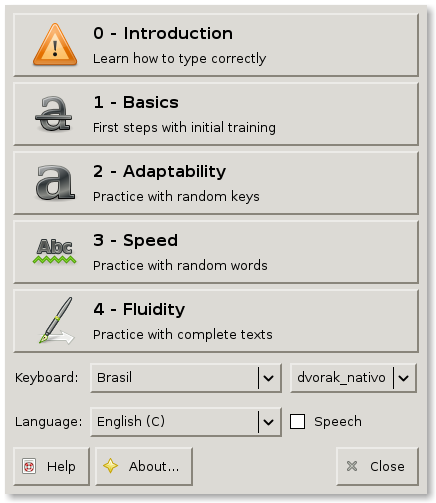
Klavaro stands out in the educational software space due to its incredible versatility. Rather than locking users into standard layouts, it allows for deep customization to fit virtually any user's needs:
- Customizable Keyboard Layouts: You are not limited to standard QWERTY. You can modify, save, and utilize entirely new or obscure keyboard configurations, making it perfect for alternative layout enthusiasts.
- Structured Learning Curve: The core course is designed independently of specific layouts, ensuring you learn proper finger placement progression regardless of your keyboard type.
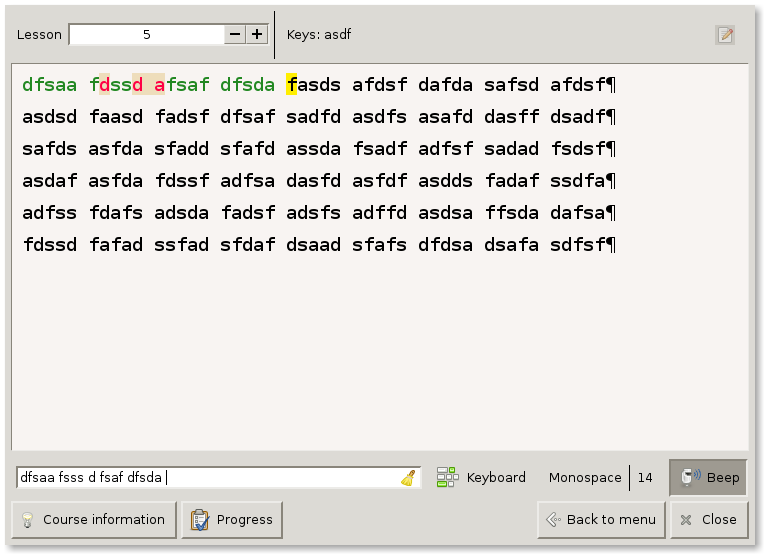
- Progress Tracking and Charts: Visually monitor your improvement over time with built-in performance charts that log your accuracy and speed.
- Global Benchmarking: For advanced typists looking to test their limits, an online ranking system lets you compare your performance against other users worldwide.
A Clean, Distraction-Free Interface
At first glance, the interface of the Klavaro touch typing tutor might seem overly simplistic. However, this design choice is highly intentional. True touch typing requires intense concentration and spatial awareness. By eliminating unnecessary visual artifacts, the software ensures that your eyes stay on the screen and your mind remains focused on the physical movement of your fingers.
Who is Klavaro For?
This software is an ideal match for Linux users who want a serious, no-nonsense approach to improving their digital literacy. Whether you are a programmer looking to speed up your coding, a writer aiming to hit deadlines faster, or a student preparing for heavy research papers, this utility adapts to your current skill level and guides you toward mastery.
Discover More
If you are ready to upgrade your typing skills on Linux with a highly flexible, clean, and effective tool, this application is an excellent choice. To try it out for yourself and join the global leaderboard, head over to the official Flathub store page to learn more about the Klavaro touch typing tutor.
Rate the App
User Reviews
Other Apps in This Category






Popular Apps










Editor's Choice